Exchange 2010 SP1 Prerequisites

Add a comment August 30th, 2010

I recently posted about the availability of Exchange 2010 SP1 and thought I would provide some feedback about the installation process.
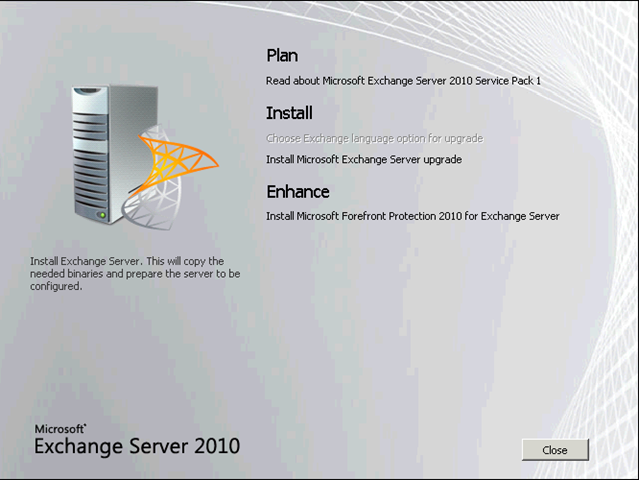
sp1_2

Before installing SP1 for Exchange 2010, there are several updates and hot fixes that need to be installed first. An important thing to note is that all the Unified Messaging language packs other than US English (en-US) need to be uninstalled before upgrading the Unified Messaging server role. I have split these up then up by server role:

Hub Transport Role Prerequisites:
Microsoft Knowledge Base article 979099
Microsoft Office 2010 Filter Packs

Client Access Role Prerequisites:
Microsoft Knowledge Base article 982867 *requires a restart
Microsoft Knowledge Base article 979744 *requires a restart
Microsoft Knowledge Base article 983440 *requires a restart
Microsoft Knowledge Base article 977020
Knowledge Base article 979099

Mailbox Role Prerequisites:
Microsoft Knowledge Base article 979099
Microsoft Office 2010 Filter Packs

Unified Messaging Role Prerequisites:
Microsoft Unified Communications Managed API, Core Runtime 64-bit
Microsoft Server Speech Platform Runtime 64-bit
Microsoft Knowledge Base article 979099

  1. September 1st, 2010 at 15:46 | #1
    Mike

    I have a 2010 Exchange test enviroment and have downloaded SP1 to install and test. All of the updates and hotfixes are installed but when I try to install SP1 on my Mailbox, Hub Transport server it comes up with a warning, a yellow exlamation mark, in the prerequisites telling me I need to install the Microsoft Office 2010 filter Packs. I installed them when I first installed Exchange 2010, but just incase I reinstalled them then re-ran SP1 setup with the same results. Any idea whats going on?

  2. September 1st, 2010 at 16:29 | #2

    You would probably have installed Microsoft Office 2007 filter Packs before. I would suggest you install the Microsoft Office 2010 filter Packs as well.

    *Edit*
    Check that you have both Microsoft Office 2007 and 2010 filter Packs installed.

  3. September 1st, 2010 at 17:01 | #3
    Mike

    It is a new Domain and new install of 2010, the message says office 2010 and I don’t have the office 2007 filter Packs, any other ideas?

  4. September 2nd, 2010 at 12:25 | #4

    Hi Mike,
    I performed a clean install a few weeks ago. Exchange 2010 RTM requires the Office 2007 Filter Pack. If you have not installed SP1 yet, I would suggest first installing it, then installing the Office 2010 Filter Pack which is required by SP1

  5. March 14th, 2011 at 07:41 | #5
    Pat Jensen

    Chris – Thanks for taking the time to put this blog post together and saving me some time on the weekend. :)

  6. April 6th, 2011 at 16:48 | #6
    Muthupandi MK

    Hi,

    I have a issue when installed Exchange 2010 SP1 on my Win2008 R2 machine.

    After installed KB977020 it keeps on asking me to install the Same KB in the pre-requisite set up. Can any one help me do that? I am directly pushing the Ex2010-SP1 on R2 machine

  7. April 13th, 2011 at 18:00 | #7

    Hello.
    I’m not sure I understand your problem. do you have an screenshots or logs files?

    Cheers,
    Chris

  8. August 16th, 2011 at 14:22 | #8
    Muthupandi MK

    Exchange SP1 installation issue was resolved. Actually i copied one VHD from other source that gave me the issue. Finally i have installed the NEW VHD on Hypher V environment and installed the pre-requiste thus the issue resolved

  1. No trackbacks yet.
Comments feed