Since the release of Exchange 2010 Beta last month, I have been itching to deploy it in my test environment and really get my hands dirty. I have split this post into 2 parts because I want to use screen shots (hey, I’m a techie, we like pictures!) to really show off the product.
In part 1 of this 2 part post, we’ll look at how to prepare your server for a “Typical Installation” of Exchange. Notice how “Typical Installation” appears in quotation marks, this is because we refer to a “Typical Installation” when the Hub Transport, Client Access and Mailbox server roles are installed on a single server. Regardless of the installation options you use, installing Exchange does require a certain degree of planning and preparation.
To give you a brief overview of my test environment: I have a single Active Directory domain and all my servers are running Windows Server 2008, 64bit SP1. IPv6 is disabled on all my servers.
Exchange 2010 requires the following to be installed prior to installation (I completed my installation in the following order as well):
- Microsoft .NET Framework 3.5.
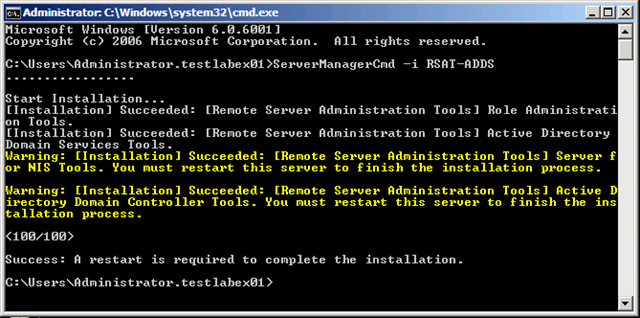
- ServerManagerCmd -i RSAT-ADDS
- Windows Remote Management ( WinRM ) 2.0 Community Technology Preview 3 (CTP3).
- Windows PowerShell V2 CTP3.
- Update for the Microsoft Management Console (MMC) in Windows Server 2008. See KB951725.
- Extensions for ASP.NET AJAX 1.0.
- 2007 Office System Converter: Microsoft Filter Pack.
- ServerManagerCmd -i Web-Server
- ServerManagerCmd -i Web-ISAPI-Ext
- ServerManagerCmd -i Web-Metabase
- ServerManagerCmd -i Web-Lgcy-Mgmt-Console
- ServerManagerCmd -i Web-Basic-Auth
- ServerManagerCmd -i Web-Digest-Auth
- ServerManagerCmd -i Web-Windows-Auth
- ServerManagerCmd -i Web-Dyn-Compression
- ServerManagerCmd -i NET-HTTP-Activation
- ServerManagerCmd -I RPC-over-HTTP-proxy

In Part 2, its we’ll look at the exciting stuff, the actual installation.